

Antminer Z15 Pro
Zcash & Horizen ASIC Miner
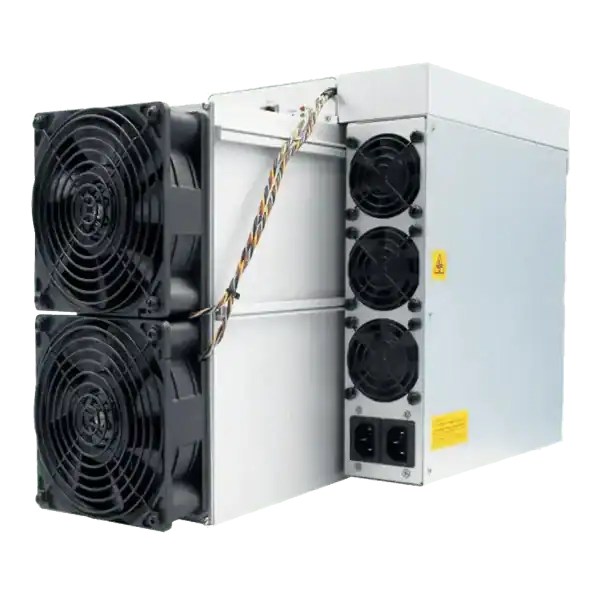

840KSOL
HASHRATE
3.3W/KSOL
EFFICIENCY
2772W
POWER
£1394.56
EST. MONTHLY
9
Months
EST. ROI
Setting up Antminer L9 safely means checking its power supply, Scrypt pool, network, firmware, heat, noise and measured wall performance.
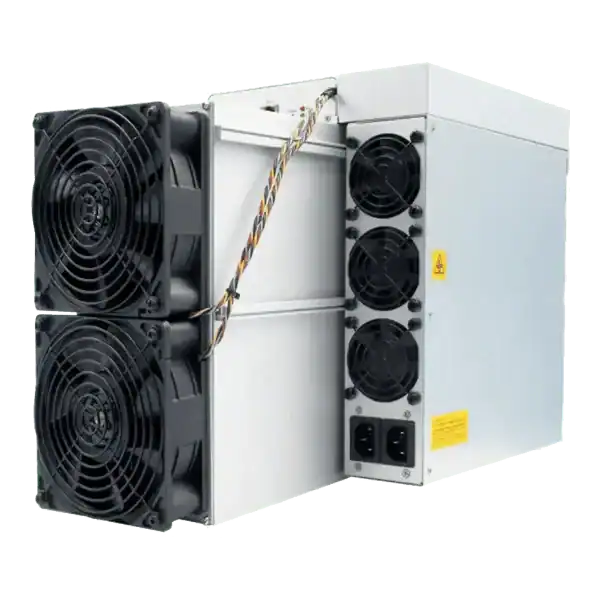
Setting up Antminer L9 hardware starts before the miner is switched on. Bitmain lists several L9 variants. The official manual gives typical hashrate, wall power and efficiency for each one, along with a 220 to 277 volt input range and a maximum input current of 20 amps.
Those figures rule out a casual plug and play approach. A competent person must check the actual supply, protective devices, cable, connector and continuous load. The owner must also prepare Ethernet, a supported Scrypt pool, a secure payout address and a way to remove more than three kilowatts of heat.
Estimated reading time: 7 minutes
An Antminer L9 is a powerful Scrypt computer and an electric heater in the same box. It needs the correct high voltage supply, steady airflow, wired internet and valid pool details. A safe setup proves each part separately before the miner is left to run.
An owner has a 16 GH/s L9 but only an ordinary household socket near the proposed position. The machine powers on somewhere else, yet that does not make the socket suitable. The owner pauses, gives the specification to a competent electrician and prepares a dedicated connection and airflow plan.
| Scrypt: | The proof of work algorithm used by Litecoin and compatible merged mining arrangements. |
|---|---|
| Wall Power: | The electricity drawn by the whole miner at its input. |
| Pool URL: | The server address entered in the miner for receiving and returning work. |
| Worker Name: | The label a pool uses to identify one miner or group of miners. |
| Accepted Share: | Pool evidence that submitted work met the assigned share target. |
The first task when setting up Antminer L9 hardware is to read the model label and match it to the official manual. The L9 manual lists 15, 16 and 17 GH/s versions with typical wall powers of 3,150, 3,360 and 3,570 watts at 25 degrees Celsius. Typical values are not guaranteed readings for every room or unit.
Record the serial number, hashrate version, purchase evidence and warranty position. Do not copy settings from a different L9 revision or from an unrelated Scrypt miner. A correct identification makes later firmware, parts and repair decisions safer.
Bitmain specifies 220 to 277 volts, 50 to 60 hertz and a maximum input current of 20 amps for the listed L9. The actual installation must be designed for the miner, its continuous duty and the local wiring. An adaptor does not increase the capacity of a circuit.
Ask a competent electrician to assess the circuit, protective device, earthing, connector, cable route and isolation. HSE guidance says equipment should suit both the work and the supply. An RCD can reduce some shock risk but does not make unsuitable equipment or wiring safe.
Cooling is a central part of setting up Antminer L9 equipment because nearly all input electricity leaves the air cooled miner as heat. A 3.57 kilowatt unit therefore creates roughly the same heat load as several room heaters. The room needs a reliable path for cool intake air and hot exhaust air without immediately mixing them.
Keep the miner dry and within the manufacturer's temperature and non condensing humidity limits. Do not defeat fan controls or pack sound material against intakes. Measure temperatures at the inlet and outlet, then check chip readings and fan speed after the load has settled.

The L9 uses wired RJ45 Ethernet. Put it on a controlled network rather than an open guest or office segment. Restrict access to the management page, change credentials where the firmware supports it and avoid exposing the interface directly to the internet.
Use the router or an approved discovery tool to find the assigned address. Reserve the address in DHCP or document a supported static arrangement. A network record should show the miner name, MAC address, IP address, switch port and approved management device.
An L9 performs Scrypt work. Confirm the pool currently accepts the intended Scrypt connection and explains its payout method, fees, minimum and merged mining treatment. A pool logo or old review is not enough evidence of current support.
Enter the pool URL, worker name and password exactly. Send payouts to an address controlled under a documented recovery process. Recheck every character before saving because a miner can work normally while credit goes to the wrong account.
The safest way to finish setting up Antminer L9 equipment is a controlled commissioning test. Photograph the installation, confirm airflow and energise the miner under supervision. Watch startup current, fan behaviour, network connection and temperature. Stop if there is a burning smell, damaged connector, repeated shutdown or an unsafe reading.
Allow the hashrate to settle before judging performance. Save the miner log and pool record for the same period. Short readings move because share arrival is random, so commissioning should prove stable operation rather than demand one exact minute by minute figure.
The miner dashboard shows local hashrate, but the pool records work that reached the destination. Compare pool accepted hashrate, stale shares, hardware errors and uptime over a representative period. A high local figure with poor accepted work is not a successful setup.
Measure electricity with equipment suitable for the voltage and current. Calculate energy cost from wall kilowatt hours, not a chip estimate. Keep the tariff date, pool fee and payout record with the reading so the operating result can be reproduced.
Start with the firmware supplied for the exact unit and obtain updates through Bitmain's official support route. Record the version and file source. Unverified firmware may change pools, power limits, fees or remote access without clear permission.
Export or record the approved pool and network settings without storing secrets in an open document. After an authorised update, verify hashrate, temperature, pool destination and payout address again. A successful reboot alone does not prove that the configuration is correct.
Keep the intake area clean and inspect cables, connectors, fans and unusual noise at a defined interval. Isolate all energy before internal work. HSE guidance stresses planning and secure isolation when electrical equipment is maintained.
Set alerts for offline status, temperature, fan faults and rejected work. Keep one known good configuration and a clear stop condition. Setting up Antminer L9 equipment is complete only when another responsible person can understand the records and shut it down safely.
The official L9 manual is the authority for the listed hardware limits, but the label on the actual unit must still be checked. Setting up Antminer L9 equipment from an old guide is unsafe when the variant, firmware, pool endpoints or payout terms have changed.
Profit estimates are snapshots. Recalculate with current difficulty, coin value, pool rules, accepted work and the electricity tariff actually paid.
| Commissioning Check | Evidence |
|---|---|
| Correct unit | Model label, variant and serial number |
| Safe supply | Electrician's design and inspection record |
| Stable cooling | Inlet, outlet, chip and fan readings |
| Correct pool | Accepted shares and payout address |
| Real efficiency | Matched pool work and wall energy |
A table is a starting point, not a promise. Verify current official sources and apply each detail to the decision you are actually making.
Do not assume so. The official electrical figures require a competent assessment of the supply, circuit, cable, protection and connector.
It performs Scrypt work. The actual coin and merged mining credits depend on the current pool and its stated payout rules.
Pool estimates are based on randomly arriving accepted shares. Compare a representative period, rejects and uptime rather than one short reading.
First confirm the exact model, release notes and official source. Back up the approved setup and verify every destination after the update.
It is complete when the electrical, cooling, network, pool, wallet, firmware and stop procedures are tested and recorded.
Setting up Antminer L9 equipment safely means proving the whole system, not merely reaching the dashboard. Match the exact variant to its supply, remove the heat, protect the network, verify the pool and measure accepted work against wall energy. Stop and obtain competent help whenever the installation does not match the official specification.
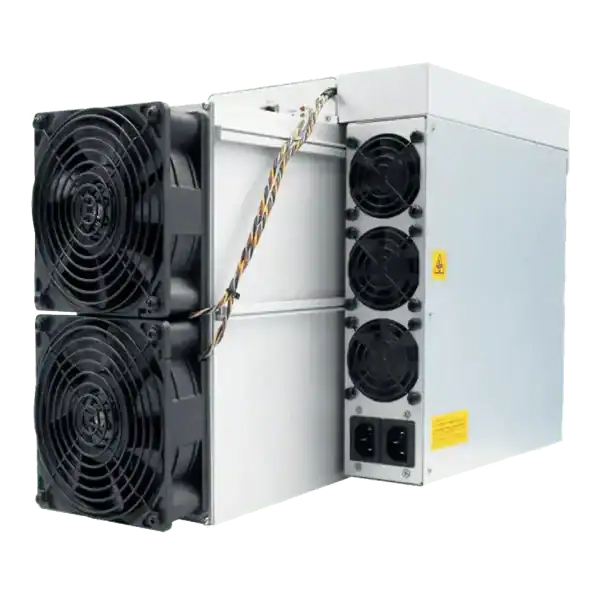
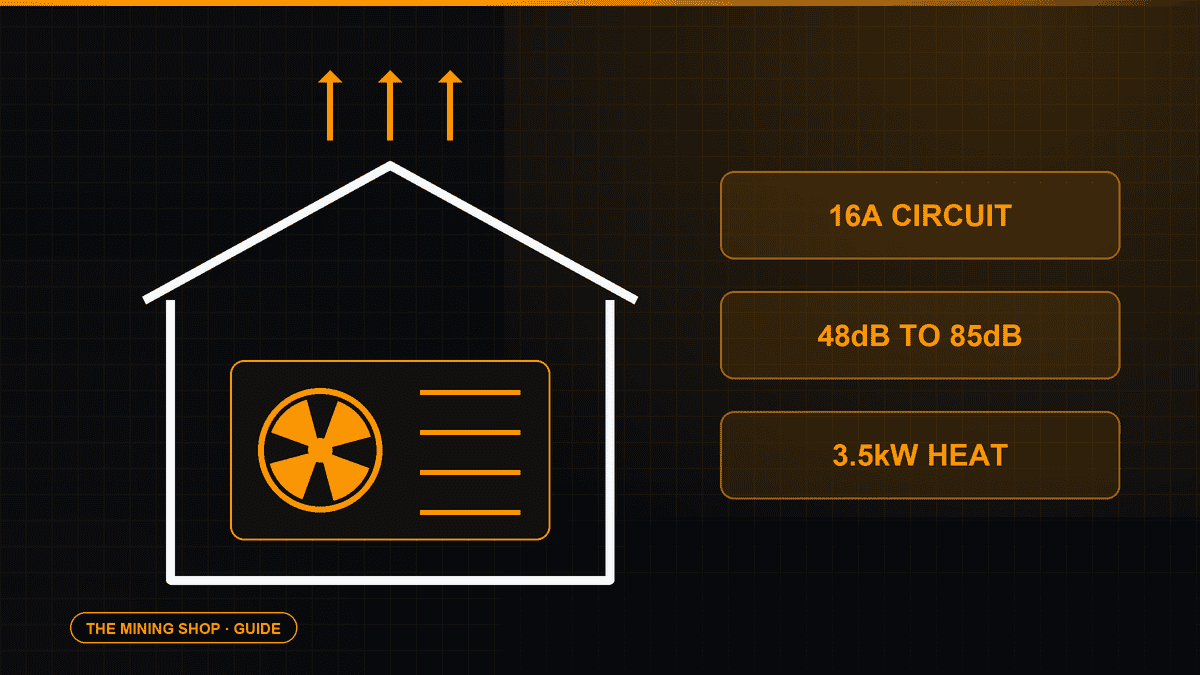
Home Bitcoin mining: A home ASIC needs a suitable dedicated circuit, competent electrical assessment and a safe route for continuous heat and noise.
ASIC fleet management software: Create an exact model-by-function matrix because reading telemetry, changing pools, tuning and updating firmware can have.
Complete an IceRiver AE0 setup with the correct 19 to 20 V supply, Ethernet, private interface, Aleo pool, accepted-proof checks and official firmware controls.
Join the ASIC Mining Discussion
Members can read and join the discussion
Log in to read comments from other miners. Create a free account if you would like to ask a question or share your experience.
Membership helps us protect the discussion from spam and keep answers useful.