Complete an Antminer L9 and S21 firmware update safely with exact model matching, official files, stable power, staged rollout, checks and recovery planning.
An Antminer L9 and S21 firmware update must be treated as two model-specific changes, not one interchangeable procedure. The L9 is a Scrypt miner and S21-family units are SHA-256 miners with several air, hydro and immersion variants.
Record the exact model, control board and installed version, download only the matching official Bitmain release, back up pool settings, provide stable power and test one unit for at least 24 hours before a wider rollout. Never cross-flash an L9, S21, S21 Pro, S21 XP or liquid-cooled image.
Antminer L9 and S21 firmware update in simple English
A safe Antminer L9 and S21 firmware update is a set of model-specific controlled changes. Identify the complete miner and control board, get only its official image, record settings and baseline, maintain stable power and test one representative unit.
Simple example
A mining technician is checking Antminer L9 and S21 firmware update. Bitmain's firmware guidance recommends trying a small number first and observing the update for at least 24 hours before a wider deployment.
Key terms in plain English
ASIC:
A computer built to do one specialised job. A mining ASIC is designed for a particular proof-of-work algorithm.
Hashrate:
The amount of mining work a machine attempts each second. More hashrate does not guarantee more profit.
Efficiency:
How much electricity a miner uses for a set amount of work. Lower joules per terahash usually means better efficiency.
Wall power:
The electricity measured at the socket or supply. It includes losses that a headline chip figure may leave out.
Mining pool:
A service that combines work from many miners and shares rewards using stated rules.
Separate the L9 and S21 change plans
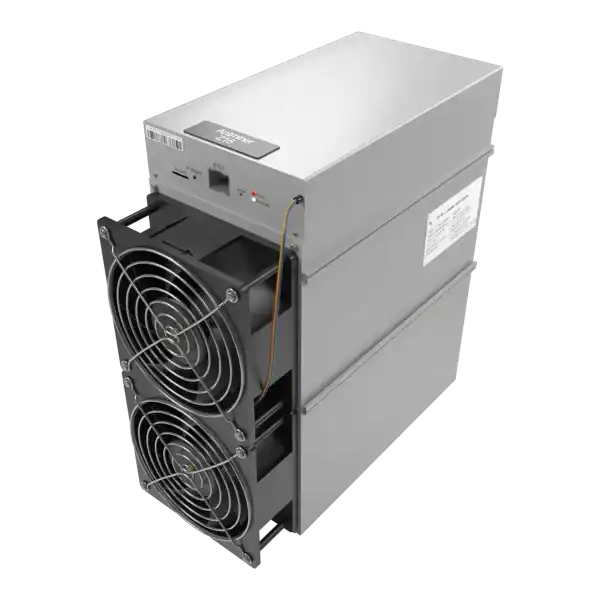
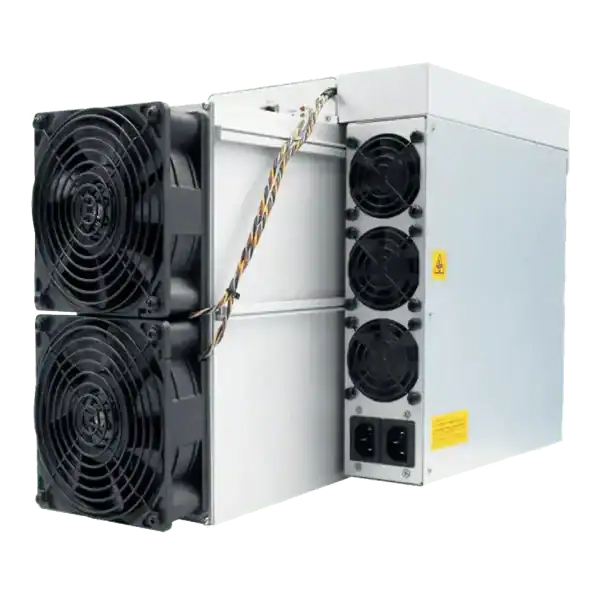
The Antminer L9 mines Scrypt and Bitmain specifies the common 16 GH/s version at a typical 3,360 W. The S21 family mines SHA-256 and contains materially different models and cooling systems. A shared maintenance window does not make their firmware interchangeable.
Create one change record for each exact model, hardware version and control-board type. Include the installed firmware string, release type, serial, pool, working mode, network settings, baseline hashrate, temperature and known faults.
Do not update a miner merely because a newer date exists. Read the release notes and identify the security fix, compatibility change or fault that justifies the risk. A stable production miner can reasonably wait while a release is tested on a representative spare or small group.
Quick reference for Antminer L9 and S21 firmware update.
Identify the complete model and control board
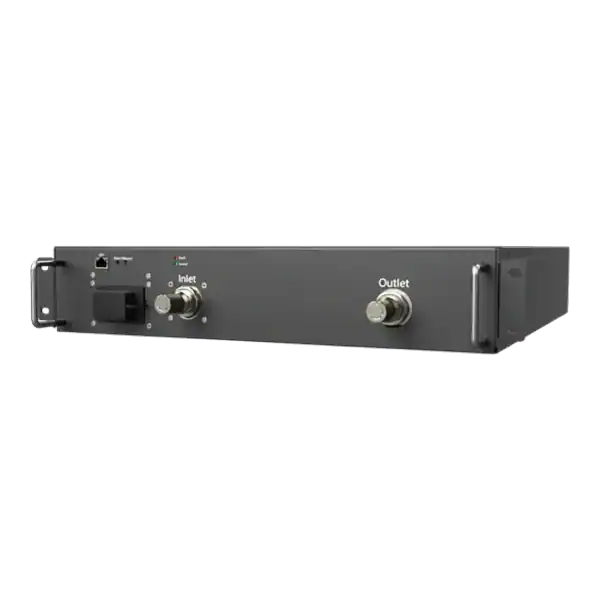
Read the chassis label and the management interface. Distinguish L9 from L7 and distinguish S21 from S21 Pro, S21 XP, S21 Hyd, S21 XP Hyd and immersion products. Air-cooled and liquid-cooled packages can use different controls and recovery images.
Record the control-board identity where Bitmain’s release or recovery instructions require it. An SD-card image for one controller can fail on another even when the front of the chassis carries the same product family name.
If the label, interface and seller record disagree, stop and get evidence from Bitmain or a competent repair provider. Do not use trial and error to discover which image boots.
Firmware change record
Field
Record before update
Verify after update
Identity
Full model, cooling type and control board
Same identity and correct package
Software
Version, release type and settings option
Expected official version and release type
Mining
Pools, worker and accepted hashrate
Correct destination and accepted work
Hardware
Boards, chips, fans or liquid system
All expected components healthy
Recovery
Matching recovery image and instructions
Rollback route remains usable
Download only the matching official release
Use the current Bitmain support page for the exact L9 or S21 model and follow its firmware link. Confirm the domain, model name, cooling variant, release date, filename and release notes. Retain the downloaded package and its published checksum if Bitmain supplies one.
Do not install firmware from a marketplace seller, chat attachment, file-sharing site or another miner. Bitmain warns that unauthorised third-party firmware may affect security and warranty. A familiar filename is not proof that a file is authentic.
Bitmain describes normal customer firmware as Release type. Factory firmware may be intended for production testing and can restrict pool changes. If the interface shows an unexpected type, document it and follow the manufacturer’s current correction process rather than forcing an arbitrary downgrade.
Prepare settings, power and rollback
Export or record pool hostnames, ports, worker names, optional passwords, network settings, working mode and administration access. Do not place payout addresses or credentials in an unprotected ticket or screenshot.
Understand the update option that retains miner settings. Bitmain notes that an update without retained configuration can remove pool information. At the same time, retaining configuration normally preserves it. The wording can vary by firmware. So read the live interface before confirming.
Provide stable electrical power and wired Ethernet for the whole update and first reboot. Suspend automatic restarts, remote controllers and curtailment actions that could interrupt flashing. Keep the correct factory-reset and model-specific recovery instructions available. But do not assume an SD image works across models.
Update one representative miner
Choose a healthy unit that represents the target hardware. Do not use a miner with missing boards, unstable power, overheating, storage errors or an unknown current image as the first test.
Open the authenticated local interface, select the official package and review the retain-settings choice. Start the update once and leave the browser, miner, network and power undisturbed. Do not refresh repeatedly or remove power because the progress display pauses.
Wait for the documented reboot period, then rediscover the IP if DHCP or reset behaviour changed. If the interface does not return, follow the exact model’s official recovery flow rather than uploading another random package.
Verify the L9 after firmware update
Confirm the interface identifies an L9 and shows the intended official firmware. Check all expected hashboards, chips, fans, temperatures and the selected Normal or Sleep state. The L9 manual describes three pool entries in descending priority and automatic fan control.
Verify the Scrypt pool host, worker and payout account independently. Confirm accepted shares and a stable pool average. Do not compare an L9’s GH/s figure with a SHA-256 miner’s TH/s figure as though the units or algorithms were equivalent.
Compare wall power, rejects, hardware errors, temperature and restarts with the pre-change baseline. An update that boots but loses a board or sends work to an unexpected pool has not passed.
Verify the S21-family miner after update
Confirm the complete S21 model and cooling type, firmware and working mode. On air-cooled units, check board and chip detection, fans, inlet and outlet temperature and real board hashrate. On hydro or immersion models, follow the separate liquid-system checks and facility interlocks.
Verify all three pool entries and accepted SHA-256 shares under the intended worker. Allow the pool averaging period before judging hashrate. Record rejects, stale shares and any change in efficiency or power.
Test administration, monitoring and alerts without exposing the interface publicly. Confirm passwords and network restrictions survived or were deliberately restored after a reset.
ASIC hashboard components relevant to Antminer L9 and S21 firmware update.
Observe before a fleet rollout
Bitmain’s firmware guidance recommends trying a small number first and observing the update for at least 24 hours before a wider deployment. For a mixed fleet, use a separate pilot for every model and control-board group.
Define pass criteria before the pilot: correct official version, all boards present, expected accepted hashrate, no abnormal temperature or power, no unexpected restart, correct pools and successful management and recovery checks.
Roll out in batches small enough that the remaining fleet can carry operations and staff can diagnose failures. Pause the batch if one unit breaches a criterion. Do not let central management turn a wrong model selection into a fleet-wide outage.
Recover from a failed or unsuitable update
First preserve evidence: status, logs, LEDs, network lease, exact package and the point of failure. Check stable power, Ethernet and address discovery before assuming the control board is corrupted.
Use factory reset only when the model documentation supports it and pool or network settings are ready to be restored. Use SD-card recovery only with the correct product and controller image. Stop if the instructions do not match the hardware.
If the miner is under warranty or the control board remains inaccessible, contact Bitmain or an authorised repair route before opening or repeatedly flashing it. Repeated attempts can erase evidence and increase damage.
When a firmware update makes sense
A justified controlled change
Update when an official release fixes a relevant security or operational issue, supports the exact hardware and can be tested with stable power, monitoring and rollback.
A written pilot and pass criteria make the decision repeatable across a hosted fleet.
Reasons to postpone
Postpone when the model or control board is uncertain, the release notes do not apply, power is unstable, the miner already has a fault or no matching recovery path exists.
Do not update solely to improve a dashboard version number.
Common L9 and S21 firmware mistakes
Treating every S21 variant as the same model.
Cross-flashing an L9 and an S21-family package.
Downloading firmware from a seller or file-sharing link.
Interrupting power because the progress display appears slow.
Forgetting that an update without retained settings can remove pools.
Rolling out to the full fleet before a 24-hour representative pilot.
Calling a booting miner successful without verifying accepted shares and every board.
Frequently asked questions
What is the main point of Antminer L9 and S21 firmware update?
A safe Antminer L9 and S21 firmware update is a set of model-specific controlled changes.
For Antminer L9 and S21 firmware update, what should a beginner know about separate the L9 and S21 change plans?
The Antminer L9 mines Scrypt and Bitmain specifies the common 16 GH/s version at a typical 3,360 W.
For Antminer L9 and S21 firmware update, what should a beginner know about identify the complete model and control board?
Read the chassis label and the management interface. Distinguish L9 from L7 and distinguish S21 from S21 Pro, S21 XP, S21 Hyd, S21 XP Hyd and immersion products.
For Antminer L9 and S21 firmware update, what should a beginner know about download only the matching official release?
Use the current Bitmain support page for the exact L9 or S21 model and follow its firmware link.
Key points to remember
A safe Antminer L9 and S21 firmware update is a set of model-specific controlled changes. Identify the complete miner and control board, get only its official image, record settings and baseline, maintain stable power and test one representative unit.
Success means the correct release type, every board and cooling component healthy, the intended pools receiving accepted work and at least 24 hours of stable operation. Only then should a documented batch proceed.
Next steps
Review The Mining Shop UK’s security, warranty and repairs guidance before updating an Antminer fleet, and contact the team when a model, control board, third-party image or recovery route is uncertain.
Match the firmware to the complete model and cooling variant. L9, S21, S21 Pro, S21 XP, S21 Hyd and S21 Imm images are not interchangeable. Use the official Bitmain support or firmware route, record the filename and checksum where provided, keep power and network stable and do not interrupt the update.
Darren Waggott is the visionary Founder and CEO of The Mining Shop UK, with over a decade of leadership in the cryptocurrency mining sector. Renowned for driving innovation, Darren has built a company dedicated to providing high-quality ASIC miners and comprehensive hosting services. His forward-thinking approach places The Mining Shop UK at the forefront of the industry.
Membership helps us protect the discussion from spam and keep answers useful.
ASIC MINING SUPPORT
Need Help Choosing an ASIC Miner?
Tell us what you want to mine, your electricity cost and where the machine will run. We can help you compare hardware, power requirements, hosting and repairs.
We use necessary cookies to run the shop and optional analytics cookies to understand how visitors use the site and improve shopping and checkout. You can accept analytics, use only necessary cookies, or choose settings. You can change your choice at any time.
Functional
Always active
The technical storage or access is strictly necessary for the legitimate purpose of enabling the use of a specific service explicitly requested by the subscriber or user, or for the sole purpose of carrying out the transmission of a communication over an electronic communications network.
Preferences
The technical storage or access is necessary for the legitimate purpose of storing preferences that are not requested by the subscriber or user.
Statistics
The technical storage or access that is used exclusively for statistical purposes.The technical storage or access that is used exclusively for anonymous statistical purposes. Without a subpoena, voluntary compliance on the part of your Internet Service Provider, or additional records from a third party, information stored or retrieved for this purpose alone cannot usually be used to identify you.
Marketing
The technical storage or access is required to create user profiles to send advertising, or to track the user on a website or across several websites for similar marketing purposes.





Join the ASIC Mining Discussion
Members can read and join the discussion
Log in to read comments from other miners. Create a free account if you would like to ask a question or share your experience.
Membership helps us protect the discussion from spam and keep answers useful.