A safe Antminer S21 XP setup starts before the miner is powered. Confirm the exact air-cooled model, inspect it for transit damage and provide a competent 220 to 277 V single-phase circuit designed for a 20 A input and continuous load.
Connect Ethernet, discover the local address, replace the default password, enter three independently verified pool records and confirm accepted shares at the pool before judging the installation from the local hashrate alone.
Antminer S21 XP Setup in Simple English
Antminer S21 XP setup: Allow the miner to initialise. The status page should show the expected number of hashboards and chips, real board hashrate, inlet and outlet temperatures, fan readings, frequency and chip state.
Simple Example
A miner is checking Antminer S21 XP setup. Read the product label and order record before using any specification, firmware image, power lead or cooling instruction.
Key Terms in Plain English
ASIC:
A computer built to do one specialised job. A mining ASIC is designed for a particular proof-of-work algorithm.
Hashrate:
The amount of mining work a machine attempts each second. More hashrate does not guarantee more profit.
Efficiency:
How much electricity a miner uses for a set amount of work. Lower joules per terahash usually means better efficiency.
Wall power:
The electricity measured at the socket or supply. It includes losses that a headline chip figure may leave out.
Mining pool:
A service that combines work from many miners and shares rewards using stated rules.
Confirm the Exact S21 XP Model and Site Requirement
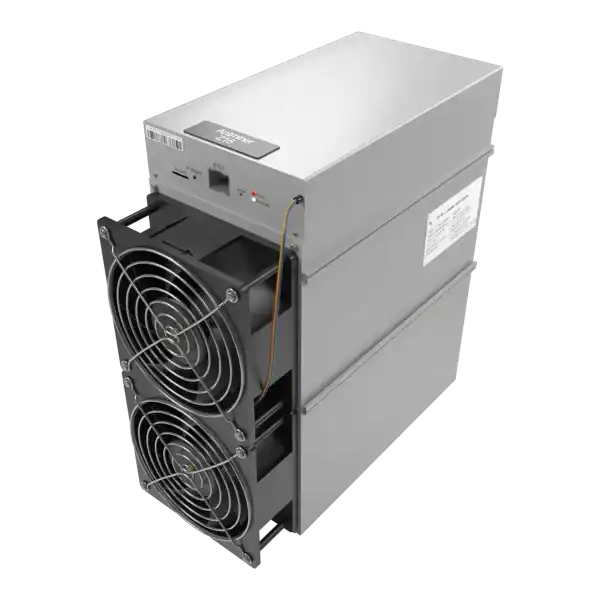
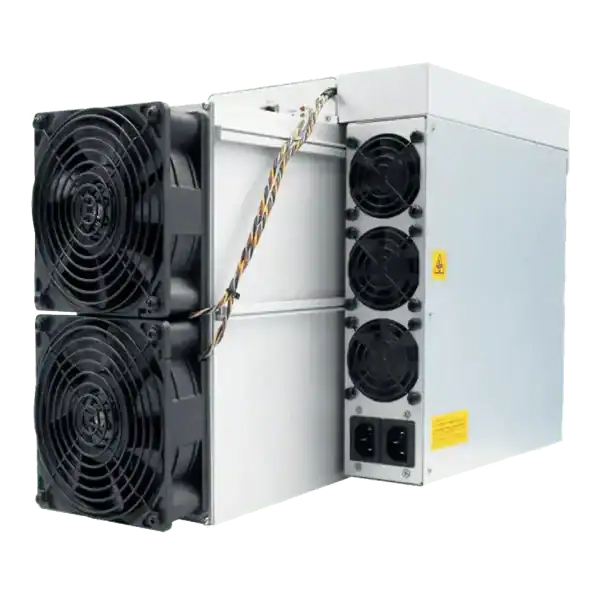
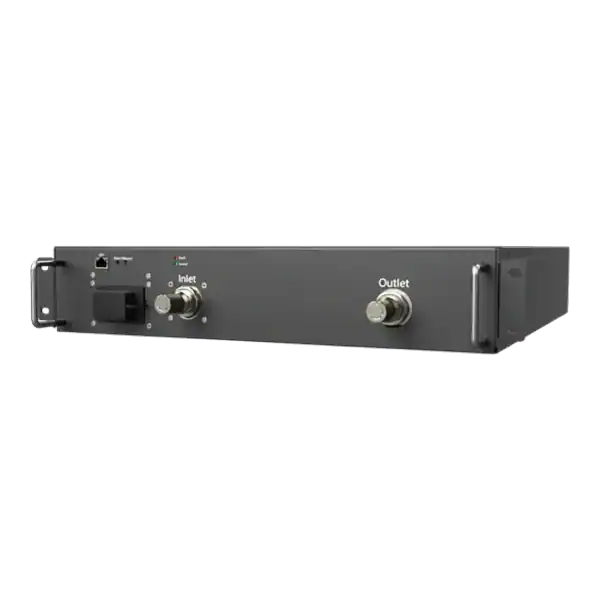
This guide covers the air-cooled Antminer S21 XP. It is not an installation guide for the S21 XP Hyd or S21 XP Immersion variants. Read the product label and order record before using any specification, firmware image, power lead or cooling instruction.
Bitmain’s published specification lists a typical 270 TH/s, 3,645 W at an inlet temperature of 25 degrees Celsius and 13.5 J/TH. The manufacturer permits typical hashrate variation of plus or minus 3 per cent and power or efficiency variation of plus or minus 5 per cent. These are equipment tolerances, not a promise of pool income.
The specification gives a 220 to 277 V single-phase supply with a 20 A maximum current. It also lists RJ45 Ethernet, a maximum fan condition of 76 dBA and a non-condensing operating range. Treat the miner as industrial electrical and acoustic equipment, not a domestic appliance.
Quick reference for Antminer S21 XP setup.
Inspect the Delivery Before Applying Power
Photograph the unopened packaging, shipping label and every side of the miner. Check the chassis, fan guards, fans, control board, power inlet, Ethernet socket and visible cables for impact, deformation, moisture or loose parts. Retain the packaging for any carrier or warranty claim.
Gently move the unit only as the manufacturer or seller permits. Do not power a miner that rattles, has a bent fan guard, displaced heatsink, cracked connector, liquid evidence or conductive debris. Report damage before attempting a repair because unauthorised work can complicate a claim.
Record the model, serial number, MAC address if shown, purchase source and warranty evidence. Confirm the supplied lead and plug match the exact power supply and the engineered site outlet. A connector that physically fits is not proof of the correct rating or pin arrangement.
S21 XP pre-start record
Check
Evidence
Stop condition
Identity
Air-cooled S21 XP label and serial recorded
Hydro, immersion or uncertain model
Condition
Chassis, fans and connectors intact
Impact, moisture, debris or loose part
Supply
Engineered 220 to 277 V circuit and correct lead
Domestic socket or improvised adaptor
Airflow
Clear cool inlet and separated hot exhaust
Recirculation or obstructed fan
Network
Private Ethernet segment and known pool records
Public management interface or unverified pool
Provide a Safe Continuous Electrical Supply
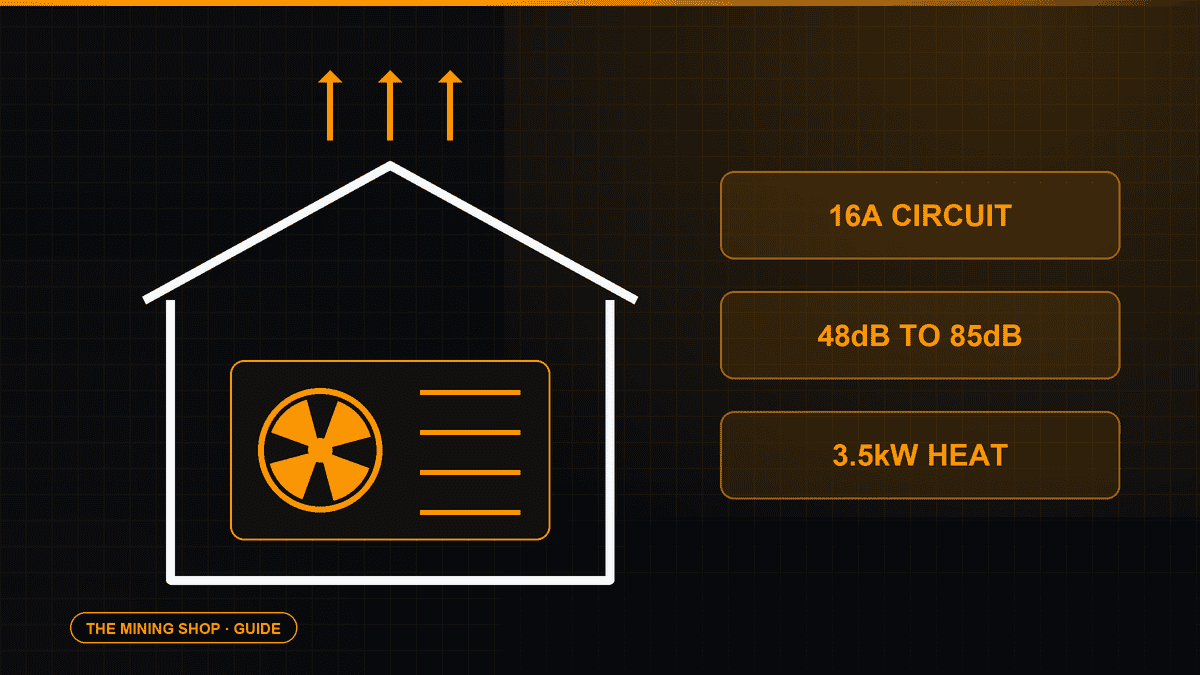
At the typical 3,645 W input, current is about 15.8 A at 230 V before allowing for voltage, tolerance and site conditions. That exceeds a UK BS 1363 13 A plug and ordinary domestic socket rating. Never solve this with an extension lead, travel adaptor, multiway strip or changed fuse.
A competent electrical designer should verify the supply voltage, prospective fault current, earthing, cable size, connection method, protective device, isolation, plug and socket, labelling and continuous operating duty. The design must use the actual miner and power-supply documentation rather than only the typical wattage.
Measure voltage and current under load using suitable equipment and a trained person. Repeated trips, hot connectors, discolouration, unusual odour or unstable voltage require shutdown and investigation. Do not repeatedly reset a breaker to keep mining.
Plan Airflow, Noise and Placement
Nearly all electrical input becomes heat. So a 3.6 kW miner adds roughly the heat of several domestic fan heaters continuously. Provide a defined cool-air inlet and a hot-air route that does not return to the fans. Design for the hottest expected ambient condition, blocked filters and neighbouring miners.
Keep the miner level, dry and clear of combustible storage. Allow service space around the fans, power connection and Ethernet port. Do not place it in a bedroom, occupied office, loft or cupboard simply because the miner physically fits.
The published 76 dBA value is a maximum fan condition measured under the manufacturer’s stated method, not a guarantee at a property boundary or worker position. Assess occupational and environmental noise, use engineered enclosures or remote siting where appropriate and never restrict airflow merely to reduce sound.
Connect Ethernet and Discover the Miner
Connect the S21 XP to a private wired Ethernet network with DHCP available. Keep miner management separate from customer, payment, office and guest networks. Do not forward the miner web interface from the public internet.
Power the network equipment first, then energise the miner using the site’s approved isolation sequence. Use Bitmain’s current IP Reporter utility from its official support route, or inspect the DHCP lease table, to identify the address. Match the discovered IP to the recorded MAC or a single-device test rather than guessing.
Open the local interface from a trusted management device. Change the default administration password immediately to a unique credential and store it in the organisation’s approved password manager. Create a DHCP reservation or documented address plan so the miner can be found again.
Configure the Pools and Payout Details
The S21 XP manual permits three pool entries in descending priority. Get each Stratum hostname, port, worker format and password from the chosen pool’s current documentation. A lower-priority entry is used when higher-priority pools are unavailable. So order them deliberately.
Verify the pool account or Bitcoin payout address using a separate trusted route. Do not copy an address from a screenshot, chat message or old configuration. The Mining Shop UK does not need the private keys that control a customer’s wallet.
Save the configuration and check the displayed values again. Pool two and pool three should be usable failovers. But endpoints under one provider may share infrastructure. Decide whether provider diversity is required by the operating plan.
Verify the First Hash and Baseline
Allow the miner to initialise. The status page should show the expected number of hashboards and chips, real board hashrate, inlet and outlet temperatures, fan readings, frequency and chip state. Green status is expected. A red chip or missing board needs diagnosis rather than an immediate firmware experiment.
Confirm accepted shares at the pool under the intended worker. Local hashrate proves that the control board is reporting work. But only accepted pool records show that useful work reached the selected account. Allow for the pool’s averaging window before comparing it with the 270 TH/s typical figure.
Record the first stable run after at least several hours and again after a full day. Include firmware, working mode, wall power, local and pool hashrate, board count, temperatures, fan speeds, rejects, stale shares, ambient temperature and any restarts.
Monitoring accepted work and operating stability when assessing Antminer S21 XP setup.
Use Normal and Sleep Modes Correctly
The manual describes Normal and Sleep modes. In Sleep, the control board remains powered while the hashboards are not powered. Sleep can be useful for planned curtailment. But it is not electrical isolation for maintenance.
Use the site’s isolator and safe working procedure before opening, moving or servicing equipment. Confirm pool work returns after leaving Sleep and that a schedule or remote controller cannot restart the miner while someone is working on it.
Do not change performance settings during the initial baseline. Establish that the stock configuration is electrically, thermally and operationally stable first.
When an S21 XP Installation Makes Sense
A Suitable Site
The S21 XP makes sense where a competent installation can provide its continuous power, heat rejection, Ethernet, noise control and service access. Its efficiency can be valuable when electricity cost is the main operating constraint.
Compare the purchase price, energy rate, pool fees, downtime, repairs and hosting before treating hashrate as profit.
Reasons Not to Power It Yet
Do not proceed when the supply is a domestic socket, the miner is damaged, the inlet recirculates hot exhaust, the management page would be public or the payout destination has not been independently checked.
Professional hosting can be safer than forcing an industrial miner into an unsuitable home or office.
Common Antminer S21 XP Setup Mistakes
Using specifications or firmware for the S21 XP Hyd or another S21 variant.
Connecting a 3.6 kW miner to a UK 13 A socket or extension lead.
Placing the exhaust close to the inlet and recycling hot air.
Leaving the default password or exposing the interface publicly.
Copying a pool address or payout destination without independent verification.
Judging performance from the local dashboard without accepted pool shares.
Updating firmware or tuning before recording a stable stock baseline.
Frequently Asked Questions
How Do You Confirm the S21 XP Model and Site Requirement?
This guide covers the air-cooled Antminer S21 XP. It is not an installation guide for the S21 XP Hyd or S21 XP Immersion variants.
How Do You Inspect the Delivery Before Applying Power?
Photograph the unopened packaging, shipping label and every side of the miner. Check the chassis, fan guards, fans, control board, power inlet, Ethernet socket and visible cables for impact, deformation, moisture or loose parts.
How Do You Connect Ethernet and Discover the Miner?
Connect the S21 XP to a private wired Ethernet network with DHCP available. Keep miner management separate from customer, payment, office and guest networks.
How Do You Use Normal and Sleep Modes Correctly?
The manual describes Normal and Sleep modes. In Sleep, the control board remains powered while the hashboards are not powered.
When Does an S21 XP Installation Make Sense?
The S21 XP makes sense where a competent installation can provide its continuous power, heat rejection, Ethernet, noise control and service access. Its efficiency can be valuable when electricity cost is the main operating constraint.
Key Points to Remember
A successful Antminer S21 XP setup is an engineered commissioning process. Identify the air-cooled model, document delivery condition, provide the correct continuous electrical supply, separate cool inlet air from hot exhaust and keep management private. Configure independently verified pools, then reconcile the local dashboard with accepted pool work and a recorded 24-hour baseline.
Only after that evidence exists should firmware or performance changes be considered.
Next Steps
Read The Mining Shop UK’s electrical safety, home setup, profitability and hosting guidance before switching on an S21 XP. Contact the team if the site cannot provide a suitable continuous circuit, ventilation or noise control.
Bitmain specifies the air-cooled S21 XP at a typical 270 TH/s and 3,645 W at 25 degrees Celsius. It requires 220 to 277 V single-phase input and allows a maximum input current of 20 A. Do not use a domestic 13 A socket, extension lead or improvised adaptor.
Have a competent person design the circuit, plug, isolation, protection, cable and ventilation for continuous duty.
Darren Waggott is the visionary Founder and CEO of The Mining Shop UK, with over a decade of leadership in the cryptocurrency mining sector. Renowned for driving innovation, Darren has built a company dedicated to providing high-quality ASIC miners and comprehensive hosting services. His forward-thinking approach places The Mining Shop UK at the forefront of the industry.
Membership helps us protect the discussion from spam and keep answers useful.
ASIC MINING SUPPORT
Need Help Choosing an ASIC Miner?
Tell us what you want to mine, your electricity cost and where the machine will run. We can help you compare hardware, power requirements, hosting and repairs.
We use necessary cookies to run the shop and optional analytics cookies to understand how visitors use the site and improve shopping and checkout. You can accept analytics, use only necessary cookies, or choose settings. You can change your choice at any time.
Functional
Always active
The technical storage or access is strictly necessary for the legitimate purpose of enabling the use of a specific service explicitly requested by the subscriber or user, or for the sole purpose of carrying out the transmission of a communication over an electronic communications network.
Preferences
The technical storage or access is necessary for the legitimate purpose of storing preferences that are not requested by the subscriber or user.
Statistics
The technical storage or access that is used exclusively for statistical purposes.The technical storage or access that is used exclusively for anonymous statistical purposes. Without a subpoena, voluntary compliance on the part of your Internet Service Provider, or additional records from a third party, information stored or retrieved for this purpose alone cannot usually be used to identify you.
Marketing
The technical storage or access is required to create user profiles to send advertising, or to track the user on a website or across several websites for similar marketing purposes.





Join the ASIC Mining Discussion
Members can read and join the discussion
Log in to read comments from other miners. Create a free account if you would like to ask a question or share your experience.
Membership helps us protect the discussion from spam and keep answers useful.