

Sealminer A4 Ultra Hydro
Bitcoin & Bitcoin Cash ASIC Miner
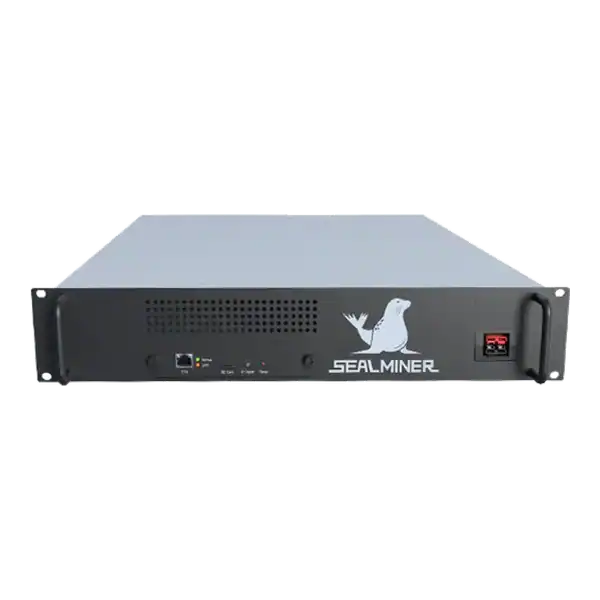

886TH
HASHRATE
9.45W/TH
EFFICIENCY
8373W
POWER
£884.60
EST. MONTHLY
NO PAYBACK
EST. ROI
Antminer S19k Pro firmware tuning should begin with hardware support, stock results, fee and security checks, then prove stability and rollback.
Antminer S19k Pro firmware tuning can target a lower power limit, better joules per terahash or a controlled hashrate increase. But the model name alone is not enough to select an image. Confirm the control board, hashboard variant, PSU, cooling and exact vendor support first.
Record stock wall power and pool accepted hashrate, use an authentic current package, pilot one miner and retain a recovery route before changing a fleet.
Antminer S19k Pro firmware tuning begins with hardware identification. Record the product label, nominal hashrate, serial number, control board, hashboard model, PSU model and any prior repair or modification.
A mining technician is checking Antminer S19k Pro firmware tuning. A package intended for one board or hashboard can fail on another even when both machines carry the same commercial model name.
Antminer S19k Pro firmware tuning begins with hardware identification. Record the product label, nominal hashrate, serial number, control board, hashboard model, PSU model and any prior repair or modification.
Bitmain documents several control-board routes for the S19k Pro, including 7007, Cvitek and Amlogic in a factory-firmware recovery article. A package intended for one board or hashboard can fail on another even when both machines carry the same commercial model name.
Current Braiins technical resources list Antminer S19K Pro NoPic with BM1366 chips and identify supported hashboard variants through release notes. Hiveon places S19KPRO in its wider Series 19 section. But some individual installation and FAQ pages list narrower or older model sets. Confirm the exact download page on the day of change.
| Item | Where to verify | Why it matters |
|---|---|---|
| Model and TH/s | Chassis label and stock UI | Prevents family-name assumptions |
| Control board | Board label and system information | Determines installation route |
| Hashboard model | System data and physical label | Determines chip and package support |
| PSU | PSU label and vendor table | Sets safe power limits |
| Current firmware | Version page and exported logs | Provides rollback evidence |
| Existing modifications | Inspection and prior records | Changes warranty and recovery risk |

Bitmain’s published S19k Pro reference is 120TH/s and 2,760W at the wall at 25°C, with plus or minus 5 per cent stated for both power and efficiency. It also specifies 200V to 240V input, two 10A input wires at the maximum condition and an operating range of 0°C to 40°C.
Those figures are not a substitute for measuring the actual machine. Run stable stock firmware for a representative period and record metered wall power, pool accepted hashrate, rejects, chip and inlet temperatures, fan speeds, hardware errors and restarts.
Calculate measured J/TH from the same period. If the pool accepts 118TH/s while the meter averages 2,790W, the operating result is about 23.6J/TH. Compare a tuned result against that 23.6 figure rather than a brochure number.
Save the pool configuration, network details, screenshots, kernel logs and firmware version. Do not store wallet seeds or reusable website passwords in the record.
Antminer S19k Pro firmware tuning should answer one measurable need. Common objectives are fitting a site power cap, reducing J/TH, lowering heat and noise, or increasing accepted hashrate where the electrical and cooling margin genuinely exists.
Set hard boundaries before selecting a profile. Include maximum measured kW, circuit current, inlet and chip temperature, fan behaviour, rejected-share rate and restart count.
A higher local hashrate can be a worse result if power rises faster, pool rejects increase or the miner becomes unstable. A lower-power profile can improve the electricity break-even price even while reducing headline TH/s.
Do not treat a vendor’s profile name as a guarantee. Measure the individual machine and use accepted pool work over time.
Download only from the firmware developer’s authenticated official site or tool. Verify the exact product, release, control board and hashboard notes. Avoid packages from chat attachments, shared drives, unknown resellers or used-machine sellers.
Read the current fee or licence arrangement. A developer fee may divert a stated share of hashrate or use another charging method. Include it in the accepted-work comparison rather than relying on the headline power profile.
Review what the firmware can access and change. Pool credentials, remote management, update servers, telemetry and API permissions are operationally sensitive. Change default miner credentials and keep the ASIC on a segmented network.
Check the update and authenticity mechanism, security advisories, support life and removal procedure. A package that installs easily but has no clear recovery path is unsuitable for a production fleet.
get the correct stock image or recovery instruction before changing the miner. Bitmain notes that S19k Pro recovery can depend on its control board and directs some factory-image cases through support.
Confirm whether the custom package runs from internal storage, SD card or an installer, and what changes it makes to secure boot or partitions. Do not assume a front-panel reset removes every custom component.
Use stable power during flashing. Bitmain warns that power loss during S19-family firmware operations can create serious control-board problems. Do not flash during a site electrical change or unstable generator period.
Test recovery on one representative machine, or get a documented vendor route, before applying the image to the rest of the fleet. Record who is authorised to use it.
Return the pilot miner to a clean stock baseline and check that its fans, hashboards, PSU and network are healthy. Tuning should not be used to hide a developing fault.
Apply one conservative power target. Allow autotuning or stabilisation to complete according to the current vendor instructions without interrupting power.
Observe at least a representative day and preferably several operating cycles. Compare wall energy, pool accepted TH/s, rejects, temperatures, errors and restarts with the stock record.
Stop if connectors heat, fan control behaves unexpectedly, boards disappear, rejects rise materially or the miner repeatedly reboots. Return to the proven profile before further diagnosis.
Suppose the stock pilot delivers 118TH/s accepted at 2,790W, or 23.6J/TH. A lower-power profile that delivers 110TH/s at 2,420W achieves 22J/TH and saves 8.88kWh each day.
At £0.07/kWh, that illustrative energy saving is about £0.62 per day. Compare it with the revenue lost from 8TH/s, any developer fee and any change in rejects or uptime.
An overclock that reaches 130TH/s at 3,300W uses about 25.4J/TH. It may produce more gross revenue. But it becomes less efficient and demands another 510W of continuous electrical and cooling capacity.
Use current pool revenue and tariff data. The better profile changes with difficulty, price, fees, site limits and ambient conditions.
Bitmain states that it is not liable for damage where the product is not used under its instructions and conditions or functions are changed without consent. Review the actual purchase and warranty terms before installing third-party firmware.
The S19k Pro is continuous high-current equipment. Use competent electrical design, both required power inputs, correct protection, secure connectors and airflow suited to the chosen power target.
Do not disable fan, over-temperature, over-current or board protections. A quieter result must come from a safe power and cooling design, not from defeating safeguards.
Keep stock logs and the exact custom version with any repair request. A repairer needs to know whether settings, voltage or security controls changed.
The exact hardware is supported, the source and fee are verified, stock operation is stable and a measured lower-power or fixed-power objective improves the site’s economics.
A staged fleet with strong monitoring, spare capacity and a tested stock recovery route is better placed to use custom firmware safely.
The machine is under warranty, the board variant is uncertain, the electrical installation has no margin or the change relies only on a promised hashrate.
Do not proceed when the package source, developer fee, remote access or rollback procedure cannot be verified.
Antminer S19k Pro firmware tuning begins with hardware identification. Record the product label, nominal hashrate, serial number, control board, hashboard model, PSU model and any prior repair or modification.
Antminer S19k Pro firmware tuning begins with hardware identification. Record the product label, nominal hashrate, serial number, control board, hashboard model, PSU model and any prior repair or modification.
Bitmain's published S19k Pro reference is 120TH/s and 2,760W at the wall at 25°C, with plus or minus 5 per cent stated for both power and efficiency.
Antminer S19k Pro firmware tuning should answer one measurable need. Common objectives are fitting a site power cap, reducing J/TH, lowering heat and noise, or increasing accepted hashrate where the electrical and cooling margin genuinely exists.
Antminer S19k Pro firmware tuning should be treated as a controlled engineering change. The two variables most likely to change the answer are the exact board support and the measured difference between accepted work and wall energy. Verify both, use authentic current software, pilot conservatively and keep a proven return to stock.
A stable lower-power result is more valuable than a short, unsafe hashrate peak.
If the S19k Pro board, firmware source or recovery route is uncertain, send The Mining Shop UK the model label, system information and logs before changing the machine.
Bitmain specifies the stock S19k Pro at 120TH/s, 2,760W and 23J/TH at 25°C, each with the stated tolerance. Measure the actual unit before judging a tuning result. Confirm the exact control board and hashboard. Braiins currently lists S19K Pro NoPic support and specific board variants. At the same time, other firmware documentation can differ by release.

Stock firmware provenance restoration: restore stock firmware provenance before ASIC resale using exact hardware identity, official files, configuration.
Plan a WhatsMiner batch firmware rollout using model cohorts, WhatsMinerTool, pilot gates, configuration evidence, monitoring and a tested rollback route.
ASICBoost compatibility check: Verify explicit model, firmware and pool support for overt ASICBoost before enabling it. Verify the current evidence.
Join the ASIC Mining Discussion
Members can read and join the discussion
Log in to read comments from other miners. Create a free account if you would like to ask a question or share your experience.
Membership helps us protect the discussion from spam and keep answers useful.