

Sealminer A4 Ultra Hydro
Bitcoin & Bitcoin Cash ASIC Miner
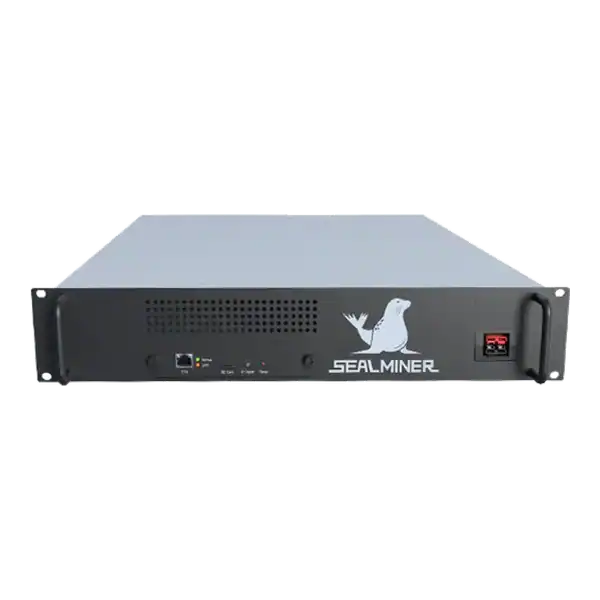

886TH
HASHRATE
9.45W/TH
EFFICIENCY
8373W
POWER
£856.08
EST. MONTHLY
NO PAYBACK
EST. ROI
NerdMiner mobile hotspot: run a NerdMiner on a mobile hotspot temporarily: check data, power, coverage, CGNAT, reconnect behaviour, security and pool shares.
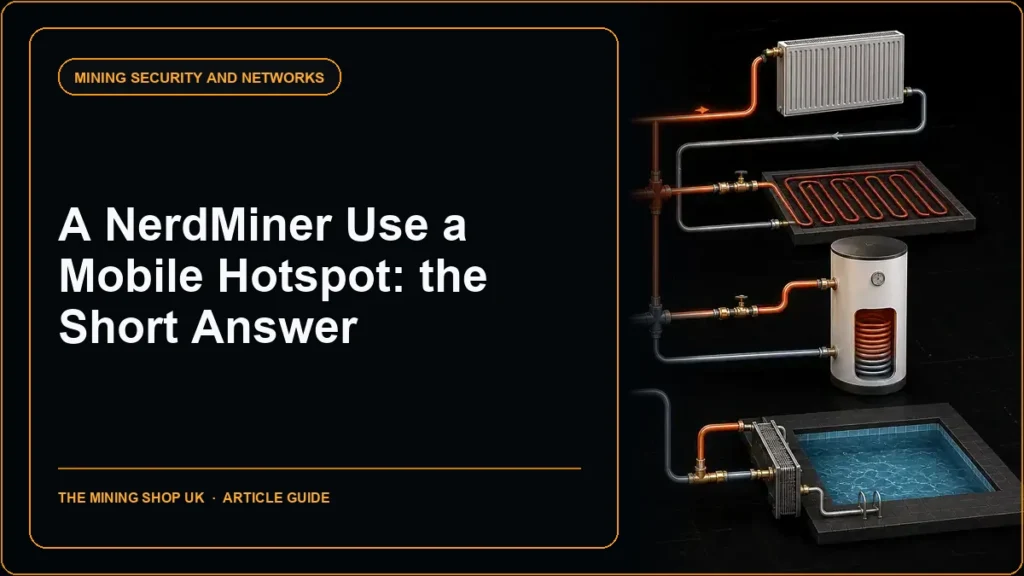
A NerdMiner mobile hotspot can provide temporary outbound internet where a fixed router is unavailable. But it should be treated as a continuity or demonstration setup rather than an assumed permanent service. The device normally needs modest data compared with media traffic, yet exact use depends on pool jobs, reconnects and firmware.
Coverage, phone power saving, hotspot limits, carrier-grade NAT and SSID changes can interrupt mining. This guide focuses on cellular and hotspot behaviour. At the same time, the router and guest-network articles cover permanent home placement.
NerdMiner mobile hotspot: A mobile hotspot can keep a NerdMiner online for a test, demonstration or temporary outage. Its value comes from measured stability, not raw mobile speed.
A miner is checking NerdMiner mobile hotspot. It is less suitable when the phone leaves the premises, sleeps aggressively, overheats while charging or has a limited data and tethering allowance.
A hotspot can power a demonstration, temporary relocation, fault test or short fixed-line outage. It is less suitable when the phone leaves the premises, sleeps aggressively, overheats while charging or has a limited data and tethering allowance.
Separate the NerdMiner’s power from the phone’s power. The board needs a stable supply. At the same time, the phone or mobile router needs enough battery and cooling for continuous tethering. Do not create an unsafe cluster of chargers and cables.
Check the mobile contract for tethering, fair-use and roaming terms. Overseas roaming can change cost and data policy substantially even when the hotspot configuration is unchanged.

Set a neutral hotspot name, strong unique password and the strongest security mode supported by both devices. Avoid a name that identifies Bitcoin, the owner or the home address.
Enter the hotspot SSID into the official NerdMiner configuration with a compatible pool, receive address and unique worker. Some phones change hotspot credentials or band after software updates. So record the settings.
Keep the hotspot private and disable automatic sharing of its password. Limit the number of clients where the operating system permits it and remove unknown clients immediately.
Mobile networks commonly use carrier-grade NAT. This prevents straightforward unsolicited inbound access. NerdMiner mining normally initiates an outbound Stratum connection. So a public IPv4 address and port forwarding are not required.
A carrier may filter uncommon ports or interrupt long-lived connections. Use another current endpoint or port documented by the same compatible pool before changing firmware or security controls.
Do not attempt to expose the NerdMiner dashboard through a tunnel merely for convenience. Monitor through the display, hotspot client list and pool worker unless a properly secured remote-management design has been reviewed.
Reset the phone’s per-device data counter or place the NerdMiner on a dedicated mobile router for the trial. Record bytes over at least a day and note reconnections. Do not publish a universal data figure because firmware, pool job rate and failures change it.
Watch signal quality and network type at the installation position. A connection can appear fast in a speed test but still reset persistent sessions as the phone moves between cells or power modes.
Confirm accepted shares and last-share time on the pool. Local hashrate with no pool activity indicates a route, credential or compatibility problem rather than a lack of computing attempts.
| Input | Record | Why it matters |
|---|---|---|
| Data use | Per device over 24 hours | Checks allowance and abnormal reconnects |
| Signal | Location and network type | Explains interruptions |
| Phone power | Charging, heat and sleep state | Affects hotspot continuity |
| Pool activity | Shares and last-share time | Confirms delivered work |
| Reconnects | Count and timestamps | Finds carrier or power-saving issues |
| Client list | Expected device only | Detects unauthorised use |
Some phones disable a hotspot when no active clients are detected, when battery saver starts or after a restart. Test an unattended restart and confirm the NerdMiner reconnects without manual configuration.
Keep the phone ventilated while charging. Continuous cellular, Wi-Fi and charging can create heat. Use manufacturer-approved power equipment and avoid covering the handset or placing it against the NerdMiner display board.
A dedicated mobile router can provide more predictable always-on behaviour, external antennas and separate administration. But it becomes another device requiring updates, credentials and a secure management interface.
Record what happens when the cellular signal disappears for several minutes and then returns. The board, hotspot and pool may recover on different schedules. So an apparently healthy local display can continue without a fresh accepted share. Set a practical last-share check and avoid repeated automated power cycling that could damage storage or hide the underlying network fault.
If the phone is also used for personal authentication or payments, weigh the extra exposure and availability risk. A dedicated hotspot keeps the mining experiment separate from a device holding sensitive accounts. But only if its administration password, firmware and SIM controls are maintained.
A hotspot is successful when it produces a stable, measured outbound route without weakening security or exhausting the phone and data plan. If the trial requires repeated manual reconnection, treat it as a demonstration route and choose a fixed network for ongoing operation.
NerdMiner mobile hotspot: A mobile hotspot can keep a NerdMiner online for a test, demonstration or temporary outage.
A hotspot can power a demonstration, temporary relocation, fault test or short fixed-line outage.
Set a neutral hotspot name, strong unique password and the strongest security mode supported by both devices.
Mobile networks commonly use carrier-grade NAT. This prevents straightforward unsolicited inbound access.
A mobile hotspot can keep a NerdMiner online for a test, demonstration or temporary outage. Its value comes from measured stability, not raw mobile speed. Secure the SSID, test the carrier route, record data and reconnects, monitor accepted shares and keep both board and phone powered safely. Move persistent operation to an isolated fixed network where practical.
Use the router or guest-network guide for permanent placement, and use the best-share guide to interpret what the pool reports after the hotspot trial.
Use a strong hotspot password, a compatible pool and a receive-only address. Never expose wallet secrets. Test data use, signal, phone power, reconnects and carrier restrictions over a measured period before relying on the route.

Bitcoin payout address for miner: create and verify a Bitcoin payout address for a miner, choose the correct network, protect keys, understand pool thresholds.
Bitcoin majority attack economics: Define the exact objective and duration before estimating resources because censorship, a short reorganisation.
ASIC Miner Security: Protecting a Mining Operation focuses on a safe, supportable setup. Read the practical UK guide before deciding.
Join the ASIC Mining Discussion
Members can read and join the discussion
Log in to read comments from other miners. Create a free account if you would like to ask a question or share your experience.
Membership helps us protect the discussion from spam and keep answers useful.