

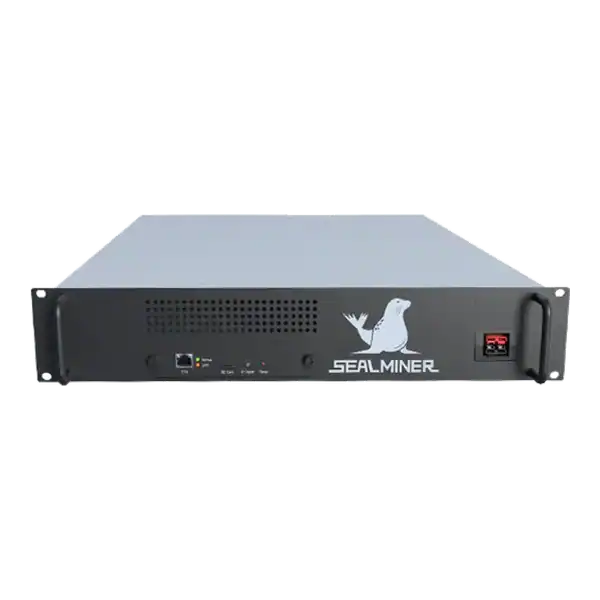
Sealminer A4 Ultra Hydro
Bitcoin & Bitcoin Cash ASIC Miner

886TH
HASHRATE
9.45W/TH
EFFICIENCY
8373W
POWER
£857.66
EST. MONTHLY
NO PAYBACK
EST. ROI
Manage Antminer S21 Pro firmware through exact hardware identity, official baseline, safe updates, measured 234TH/s and 3,510W reference, tuning and rollback.
Antminer S21 Pro firmware management should begin with the official stock baseline. BITMAIN lists the S21 Pro at a typical 234TH/s, 3,510W and 15J/TH at 25°C, with stated tolerances, a 220 to 277V supply and a 20A input.
Those values identify the model and test condition. They do not guarantee a particular unit or tuning result. Record controller, hashboards, power supply and current version, update through a verified route, then compare wall power with pool-accepted work. Custom tuning is a separate controlled experiment after the stock machine passes electrical, thermal and pool acceptance.
Antminer S21 Pro firmware: Confirm that the unit is an S21 Pro rather than S21, S21, XP, hydro or immersion. BITMAIN publishes separate specifications and power-equipment records, and images must follow the same exact distinction.
A mining technician is checking Antminer S21 Pro firmware. Record the controller, hashboard codes, power supply, serial and current firmware before downloading anything. Write the intended outcome before looking at a headline hashrate.
Confirm that the unit is an S21 Pro rather than S21, S21, XP, hydro or immersion. BITMAIN publishes separate specifications and power-equipment records, and images must follow the same exact distinction.
Record the controller, hashboard codes, power supply, serial and current firmware before downloading anything. Third-party compatibility can be revision-specific and changes over time.
Define whether the work is an official security or stability update, fault recovery, lower-power operation or third-party autotuning. Do not combine repair and performance experiments in one change.
Write the intended outcome before looking at a headline hashrate. A learning device, a useful room heater, a quiet home miner and a commercially productive machine are different purchases. The correct comparison changes when the available circuit, sound limit, heat demand, pool route or expected ownership period changes.
Use a dated decision sheet and keep manufacturer claims separate from measured results. Record the exact model, variant, power supply, firmware and operating mode. Similar product names do not make accessories, voltage, firmware or thermal limits interchangeable.

Use BITMAIN’s current firmware and product support route for the official baseline. Preserve filename, date, release notes, settings export and recovery method.
If considering custom firmware, require an exact S21 Pro board match. LuxOS current changelogs, for example, identify individual S21 Pro hashboards as support is added. A family label is not enough.
Review fee, pool-routing, TLS, API, remote-management and warranty implications. Decide which outbound services the miner is permitted to contact before installation.
Prefer the manufacturer specification, manual and firmware portal for identity and limits. But treat them as the starting point rather than a promise of site performance. Keep a copy of the pages and files used because support pages, downloads and product revisions can change.
Ask the seller for a serial photograph, condition statement, included accessories and a recent operating record for the actual unit. A generic product image cannot prove board revision, power supply condition, repair history or whether the miner reaches stable accepted work.
Use the approved electrical design for the S21 Pro’s continuous load and allow for manufacturer tolerance and the chosen power target. Maintain direct intake and exhaust without recirculation.
Update locally over a trusted management network with stable power. Export settings and logs, verify the file, prevent interruption and keep physical recovery access available.
After official firmware passes, define conservative power targets within the site capacity. Prevent operators from selecting an overclock that exceeds the circuit, connector, PDU or heat-rejection design.
A competent person should confirm the electrical route for the real continuous load. Check voltage, protective device, earthing, cable, connector, socket, isolation and ventilation together. Do not assume that a plug physically fitting a socket proves that the circuit is suitable for sustained operation.
Place the miner on a trusted network segment with no unnecessary inbound exposure. Change supplied credentials, use a documented wallet and pool account, set approved backup endpoints and confirm that every endpoint belongs to the intended operator before power is applied.
At stock, record wall power, local and accepted hashrate, board and chip state, inlet and board temperature, fan speed, rejects, errors and restarts. Compare with the official tolerance only at a reasonably comparable condition.
For tuning, allow autotuning to stabilise and repeat across expected ambient conditions. Divide measured wall watts by sustained accepted terahash and deduct any developer fee.
Record net revenue at the site’s tariff and curtailment rules. But keep profitability separate from firmware acceptance. A technically stable profile can still be uneconomic.
Measure power at the wall and compare local hashrate with accepted pool work over a representative period. Local display figures can look healthy while stale shares, invalid work, reconnects or a wrong payout address reduce useful output.
Calculate revenue and cost over a range, not one favourable day. Include electricity, pool fees, auxiliary cooling, maintenance, downtime, conversion costs and hardware value. For a heat-use case, credit only heat that replaces a cost the owner would otherwise incur.
| Risk | Evidence to get | Control |
|---|---|---|
| Wrong S21-family image | Full model and board identity | Use exact compatibility only |
| Update interrupted | Stable power and local recovery | Schedule controlled maintenance |
| Tuning exceeds site capacity | Circuit and heat design limit | Enforce approved power caps |
| Local rate differs from pool work | Accepted-share comparison | Use pool evidence |
| Custom fee or warranty omitted | Current vendor terms | Price all operating and remedy costs |
Rank each risk by consequence and by the practical ability to detect it before purchase. A low-priced machine with uncertain firmware, exhausted cooling or a weak algorithm market can require more working capital and attention than a newer unit with a higher invoice price.
Set written stop conditions. Examples include an unsafe supply, unavailable official firmware, rejected work above the approved limit, repeated thermal shutdown, no lawful payout route or an energy break-even price below the contracted rate. A stop condition prevents sunk cost from becoming the reason to continue.
Install or retain the official stock version first and run a heat-soaked acceptance test. Save the logs and configuration as the recovery baseline.
Apply one conservative tuning target to one supported unit. Compare at equal inlet condition, return to stock and repeat before concluding that a change is caused by firmware rather than pool or environment.
Begin with one unit or the smallest sensible batch. Photograph labels and connections, export the original configuration, note ambient conditions and record the start time. Watch the kernel or system log, board detection, fan behaviour, temperatures, local hashrate, pool connection and accepted work.
Do not declare acceptance from a short dashboard snapshot. Run long enough to expose heat soak, intermittent network faults and pool variance. Retain the test record with the invoice, serial number, firmware file and any seller correspondence so a later repair or warranty question has a clear baseline.
The checklist is deliberately evidence based. Marketing language such as home friendly, efficient or profitable has no fixed meaning without a measured operating mode and a real site boundary. The record should make it possible for another competent person to reproduce the decision.
Antminer S21 Pro firmware: Confirm that the unit is an S21 Pro rather than S21, S21, XP, hydro or immersion.
Confirm that the unit is an S21 Pro rather than S21, S21, XP, hydro or immersion.
Use BITMAIN's current firmware and product support route for the official baseline.
Use the approved electrical design for the S21 Pro's continuous load and allow for manufacturer tolerance and the chosen power target.
Treat stock S21 Pro firmware as the known baseline and tuning as a measured second stage. Exact board support, stable power, cooling, recovery and pool-accepted work determine whether a change is valid. The best profile is the one that stays within site limits and improves net accepted efficiency, not the one with the largest temporary local number.
Use The Mining Shop UK tools and support pages to compare the exact hardware against your real electricity, installation, pool and operating constraints before ordering or commissioning it.
Establish an official stock-firmware baseline before diagnosing faults or comparing any custom S21 Pro profile. Match the image to the exact controller and hashboards, retain recovery and use stable 220 to 277V power and cooling during updates.

Stock firmware provenance restoration: restore stock firmware provenance before ASIC resale using exact hardware identity, official files, configuration.
Plan a WhatsMiner batch firmware rollout using model cohorts, WhatsMinerTool, pilot gates, configuration evidence, monitoring and a tested rollback route.
ASICBoost compatibility check: Verify explicit model, firmware and pool support for overt ASICBoost before enabling it. Verify the current evidence.
Join the ASIC Mining Discussion
Members can read and join the discussion
Log in to read comments from other miners. Create a free account if you would like to ask a question or share your experience.
Membership helps us protect the discussion from spam and keep answers useful.